
FormCan User Guide
Set up reminder
Tabs
The Reminder feature in FormCan helps you manage forms easily by sending automatic reminder emails. It works with Invitations and Notifications to make sure forms get filled out on time.
Invitation reminder
Send reminder emails to remind recipients to fill out the form.
- How it works: The countdown starts when you send the invitation. For example, if you set the reminder for 1 day, the recipient receives an email reminder 24 hours later if they haven’t completed the form.
- Automatic cancellation: If the form is completed before the reminder time, the reminder email is automatically canceled.
Notification reminder
Keep you and your team updated by sending reminder emails about form submissions.
- How it works: You’ll receive a notification when a user submits their form. To stop reminders, you need to delete the submission and the corresponding notification setting.
Set up reminders
-
Open your form’s Invitation or Notification settings.
-
Click on + Add Reminder.
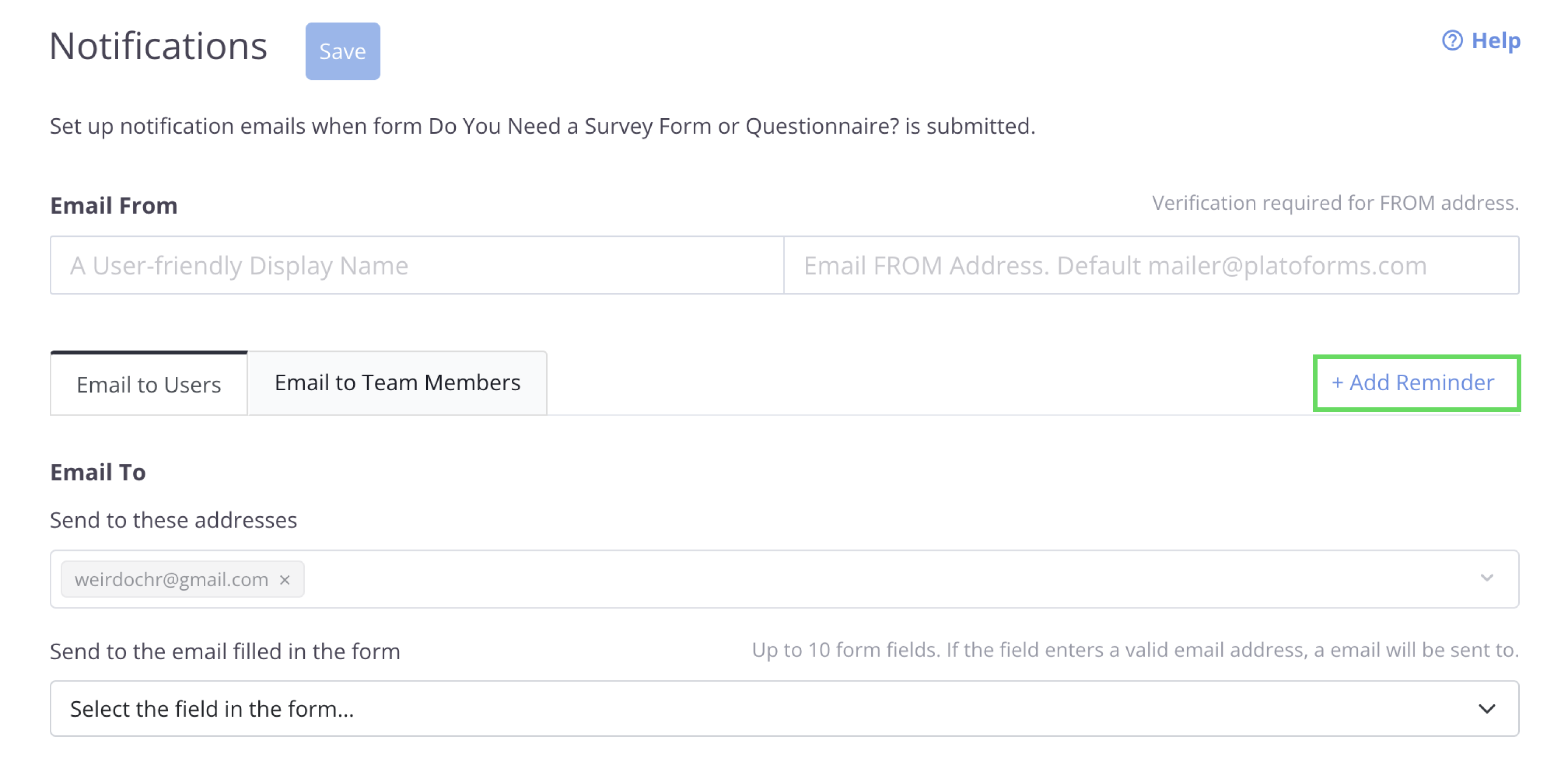
Add reminder for form -
Select a time frame by clicking Send reminder in, and choose the number of days for the reminder.
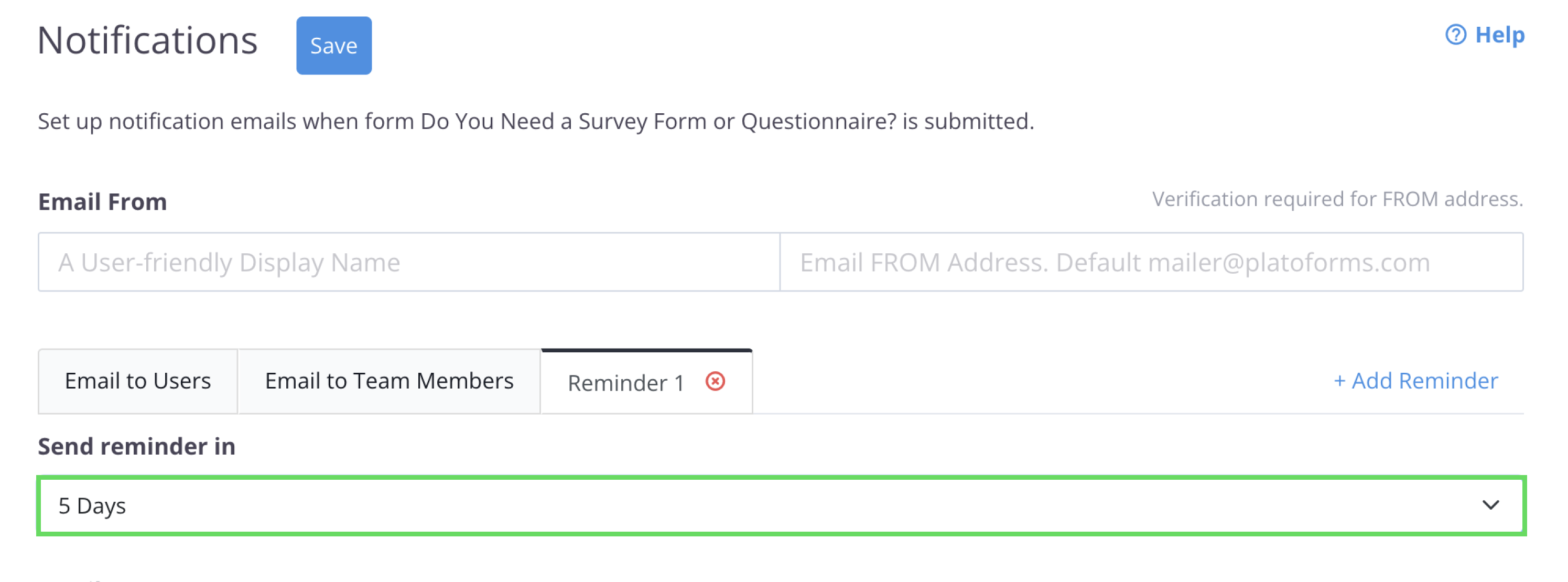
Set time frame for the reminder -
Adjust any additional settings as needed, then click Save to confirm your changes.
Note
You can set up to 3 reminder emails for each form.