
Manage form name
Tabs
The form name is the title of your form in FormCan. It helps you identify the purpose of the form and keeps your dashboard organized.
Why is the form name important?
- Easier to find: A good name helps you quickly recognize your form.
- Keeps things organized: Useful when you have many forms on your dashboard.
- Better teamwork: A clear name makes it easier to share forms with your team.
Change a form name
You can rename a form directly on the Dashboard or from its settings.
Edit directly from the Dashboard
-
Go to your Dashboard and locate the form you want to rename.
-
Click the form’s current name below its cover. The name becomes editable.
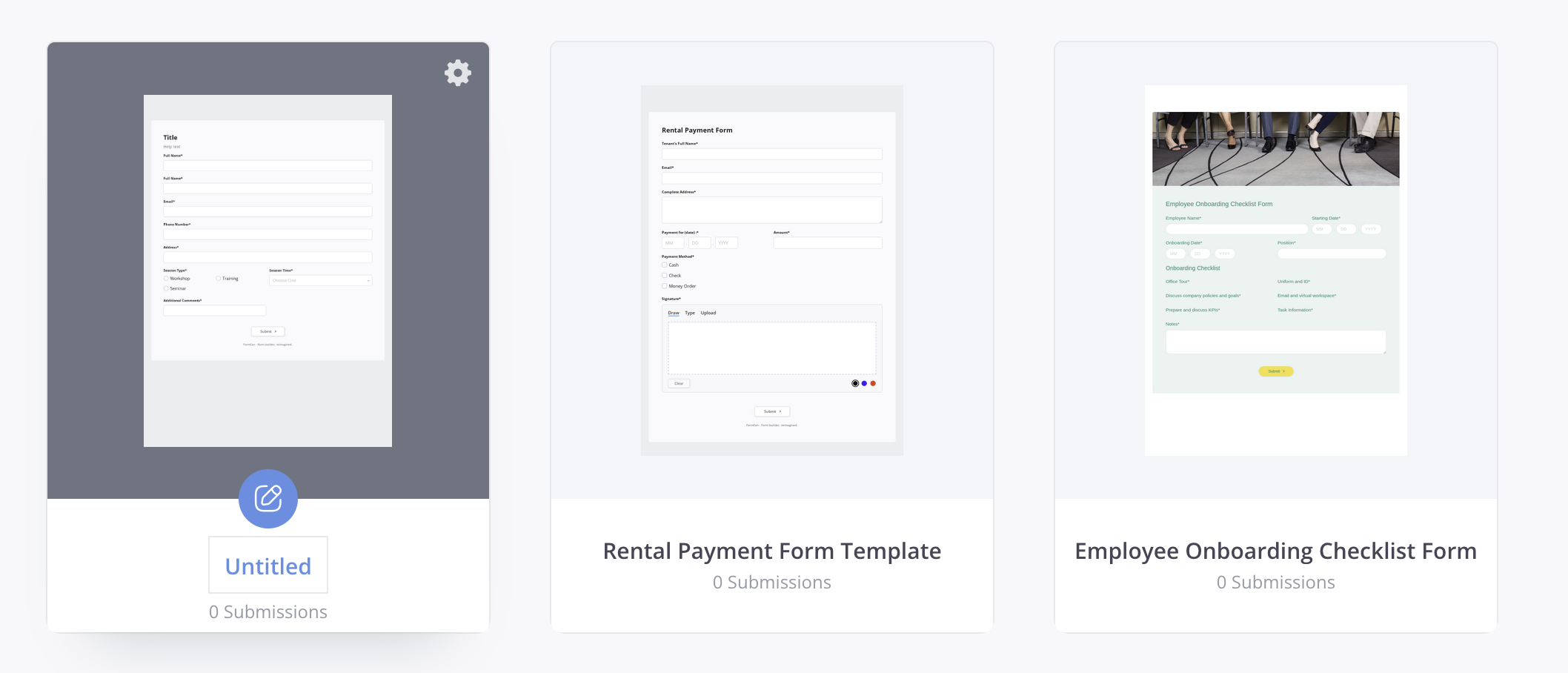
-
Type the new name. The updated name appears on your Dashboard.
Edit from the form settings
-
Go to your Dashboard and locate the form you want to rename.
-
Hover over the form, click the Settings (gear) icon in the top-right corner, and click Manage form.
-
In the left sidebar, under Configure, select PDF naming.
-
In the PDF Name box, type the new name. Make it clear and specific, like “Customer Feedback Form” or “Job Application”.
-
Click Save to confirm the new name.
Tips for naming forms
- Be clear: Use a name that shows what the form is for.
- Stay organized: Add dates or details if needed, like “Survey - January 2024”.
- Avoid generic names: Avoid names like “Form 1” or “Untitled.”
By renaming your forms, you can keep your dashboard tidy and find the forms you need faster.