
Clone forms
Tabs
FormCan allows you to clone existing forms to reuse their structure, logic, and settings.
What is form cloning?
Cloning allows you to create a new form by copying an existing one. Instead of building from scratch, the new form inherits the fields and logic from the original, saving you time on setup and configuration.
Clone a form
-
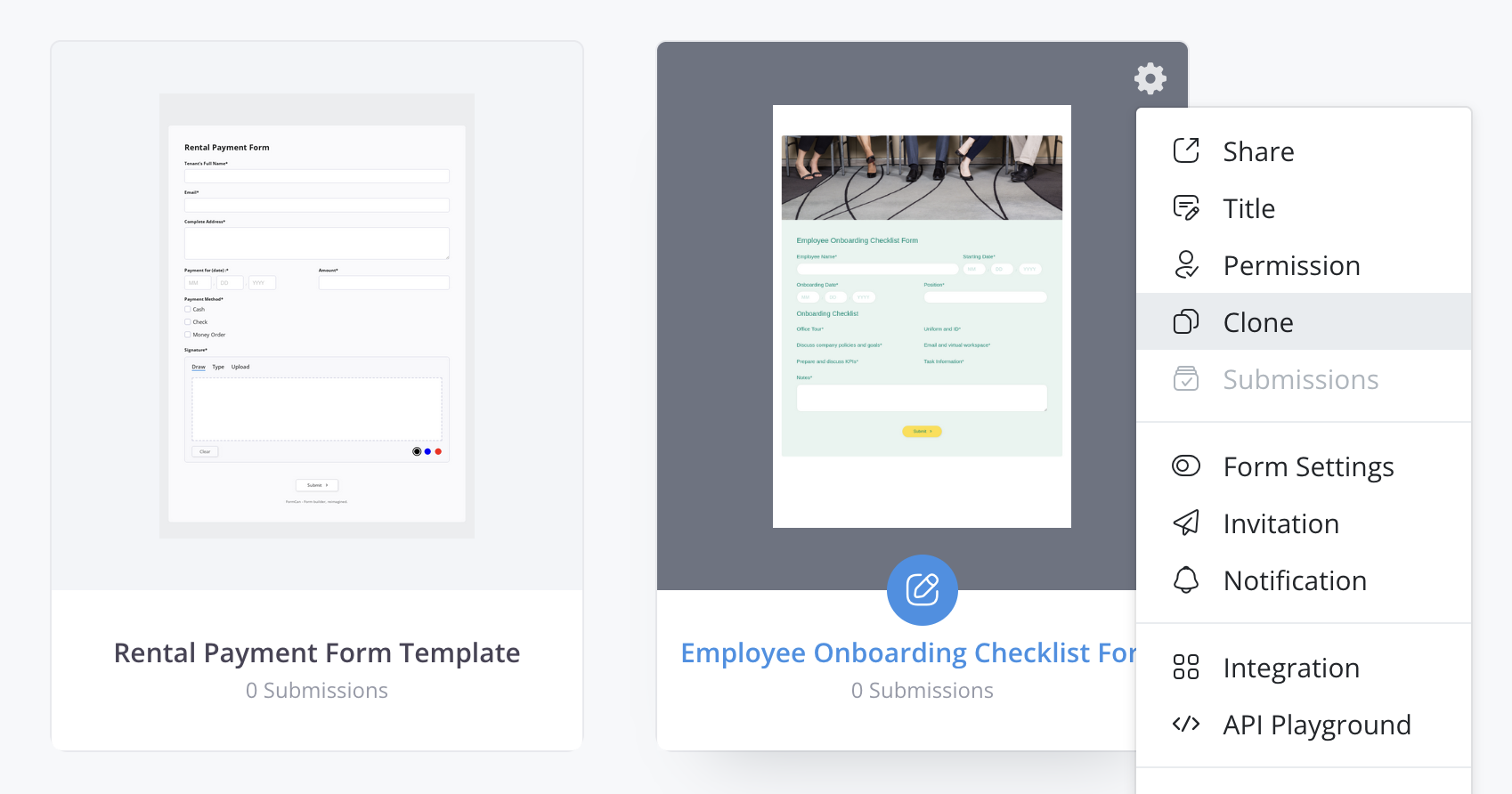
On the Dashboard, hover over the form you want to duplicate.
-
Click the Settings (gear) icon in the top right corner. In the panel that opens, select Clone Form under Quick Actions.
-
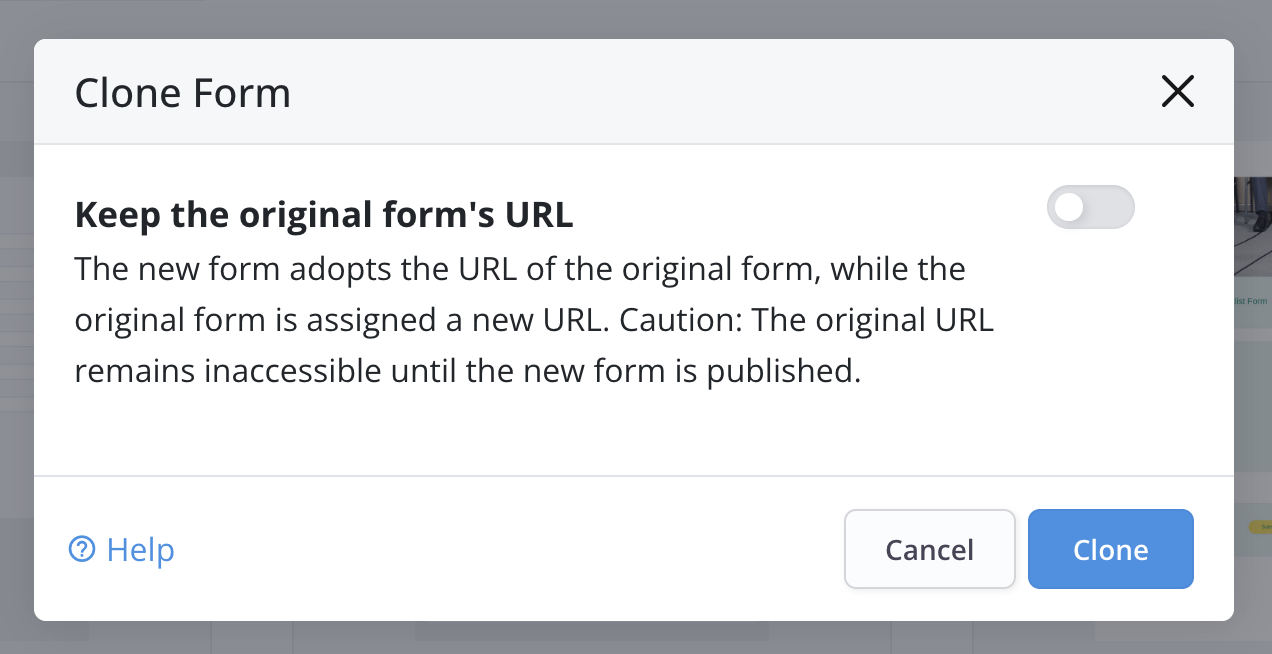
In the pop-up window, you’ll see the Keep the original form’s URL option. If you enable it, the new form adopts the URL of the original form, while the original form is assigned a new URL.
 Note
NoteThe original URL remains inaccessible until the new form is published, so users can’t open the form through the previous public URL, Embed Script, or QR code in the meantime.
-
Click Clone. The form builder opens with the cloned form. The original form remains unaffected.